
AI Image Editor | Online Photo Editing Software
Try our AI Powered Image Editing tool with Background Remover, Image Upscale, Basic Image Editing, and easy online Image Sharing. Sign up free for early access!

Background Remover
Remove image backgrounds instantly with AI for clean and professional results.

Image Upscale
Enhance image quality and upscale by 2x or 4x without losing details.

Basic Image Editing
Edit, crop, and adjust images with easy-to-use AI editing tools.

Image Sharing
Share your edited images instantly with unique, secure links.
Our AI-Powered Services
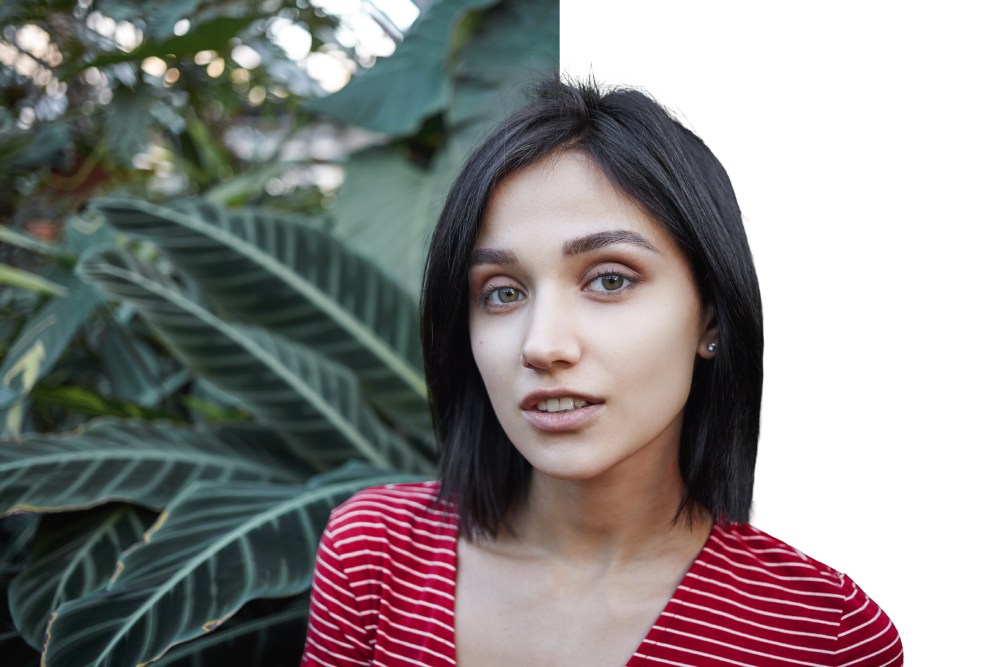
Online Image Background Remover
- Perfect for e-commerce sellers, designers, and photographers.
- Maintain fine details like hair and edges.
- Export in transparent PNG for easy use anywhere.
Basic image editing online
- Great for old photos, design projects, and HD printing.
- AI fills in lost details naturally.
- Works on portraits, landscapes, and product images.

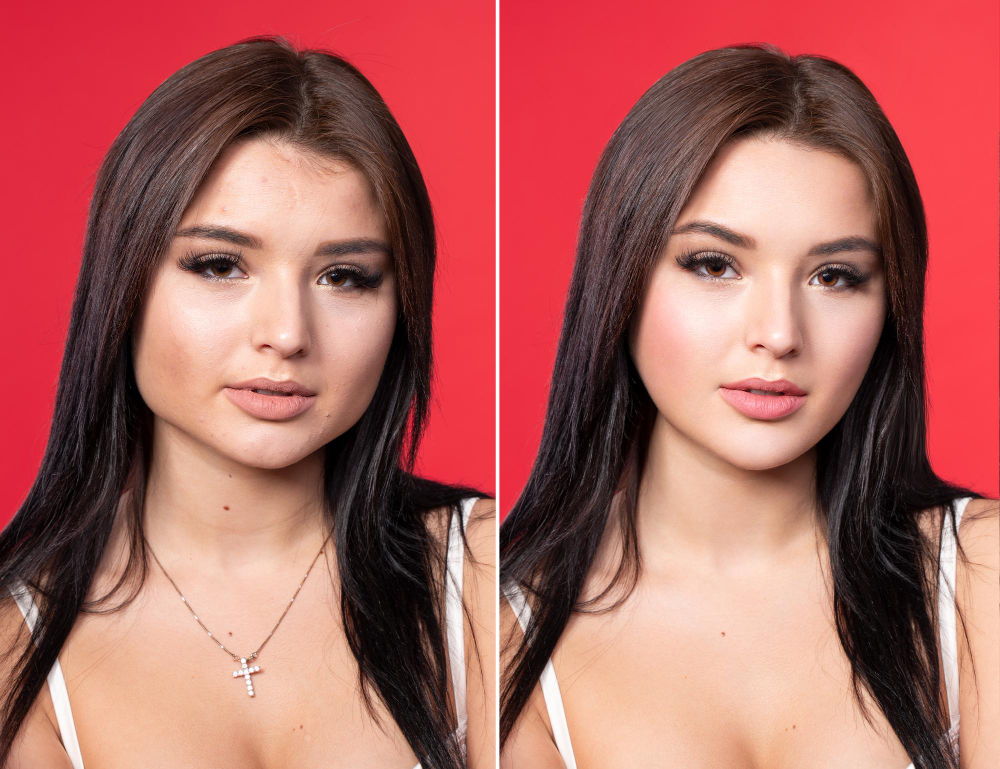
AI image upscaling tool
- Beginner-friendly tools for everyday use.
- Lightweight edits powered by AI for precision.
- Ideal for social media creators and freelancers.
cloud image sharing tool
- One-click sharing with privacy controls.
- Store images safely in the cloud.
- Save time by avoiding email attachments.

FAQ
What is Podopo and how does it work for AI image editing?
Podopo is an advanced AI-powered image editing tool that helps you enhance, retouch, and transform photos online. Simply upload your image, choose the editing option you need, and our AI instantly delivers professional-quality results.
Is Podopo’s AI image editor free to use?
How can I remove the background from an image using Podopo?
With Podopo’s AI background remover, you can delete or replace photo backgrounds in just one click. Upload your photo, select “Remove Background,” and download your new transparent or customized version instantly.
Does Podopo support high-resolution image upscaling?
Absolutely! Podopo has an AI image upscaler that enhances low-quality or pixelated photos up to 4X without losing clarity, making them perfect for printing, eCommerce, or professional use.
What file formats are supported on Podopo’s AI editor?
Podopo supports popular photo formats such as JPG, PNG, and WebP. You can upload and edit these formats easily, and download your results in high resolution.
Can I edit photos online without downloading any software?
Yes! Podopo is a web-based AI photo editor, meaning you don’t need to install any software. All edits are done online from your browser, saving you time and storage.
Is my data and uploaded image safe with Podopo?
Your privacy is our priority. All images uploaded to Podopo are processed securely, and files are deleted automatically after editing to ensure data safety and protection.
How is Podopo different from Photoshop or other image editing tools?
Unlike Photoshop, which requires advanced skills, Podopo is a simple AI photo editing tool designed for anyone. It automates tasks like background removal, upscaling, and retouching — no editing expertise needed.
Can Podopo be used for social media content creation and product photos?
Yes! Podopo is perfect for social media creators, eCommerce sellers, and marketers. You can quickly create high-quality images for Instagram, TikTok, Amazon, Shopify, and other platforms.
Does Podopo offer batch editing or bulk image processing with AI?
Yes, Podopo provides bulk editing features where you can process multiple images at once, saving time for photographers, online sellers, and content creators.